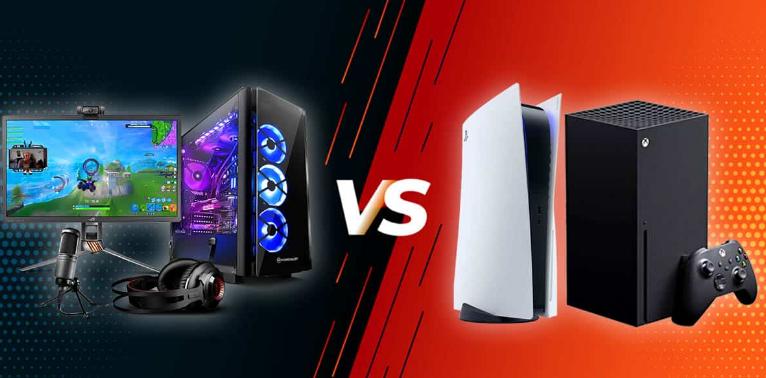
Input lag is a crucial aspect of the gaming experience that can significantly affect performance, especially in fast-paced competitive gaming scenarios. As we step into 2025, understanding the nuances of input lag and how to minimize it across various platforms and technologies has never been more essential for gamers, developers, and hardware manufacturers. This article aims to provide a detailed overview of input lag in the gaming domain, examining hardware, technologies, performance optimization, and more.
What is Input Lag?
Input lag is the delay between a player’s action and the corresponding reaction on-screen. It encompasses several components, including the time it takes for a controller or mouse to send input to the device, the processing time of the device, and the time it takes for the display to render the image. Input lag is typically measured in milliseconds (ms), with lower values being preferable for a more responsive gaming experience.
Why Does Input Lag Matter?
- Competitive Edge: In esports and competitive gaming, even a few milliseconds can make the difference between victory and defeat. Players require quick response times to react to in-game events effectively.
- Immersive Experience: For casual gamers, high input lag can detract from the immersive experience. Quick feedback can enhance engagement and enjoyment.
- Device Compatibility: Input lag can vary significantly between different devices, from high-end gaming PCs to budget consoles, affecting how gamers choose their equipment.
Gaming Hardware and Input Lag
PCs
Components: A gaming PC consists of a CPU, GPU, RAM, and storage. The combination of these components impacts input lag.
-
Graphics Processing Unit (GPU): A powerful GPU can process inputs more quickly, especially when rendering complex graphics in real-time. GPUs also play a crucial role in technologies like ray tracing and DLSS (Deep Learning Super Sampling), which can affect overall performance.
-
Central Processing Unit (CPU): The CPU impacts how quickly inputs are processed. A multi-core CPU can handle more simultaneous processes, reducing lag.
Example: A high-end gaming PC with an NVIDIA RTX 4090 GPU and an Intel i9 CPU will typically exhibit lower input lag compared to a budget build with an older GTX 1650 and an entry-level CPU.
Consoles
Modern consoles like the PlayStation 5 and Xbox Series X have made significant strides in reducing input lag through hardware optimizations and software updates.
-
Refresh Rate: Both consoles support higher refresh rates, with some games running at 120Hz, which can help reduce motion blur and improve responsiveness.
-
Game Modes: Many consoles now have a “game mode” setting that minimizes processing time to enhance responsiveness.
Laptops
Gaming laptops often feature lesser hardware compared to desktops, but several models are optimized for lower input lag.
- Key Specifications: Look for laptops with high refresh rate displays (120Hz or higher), powerful GPUs, and fast SSDs for quick load times.
Monitors
Choosing the right monitor is crucial for minimizing input lag.
-
Refresh Rate: Monitors with refresh rates of 144Hz or higher significantly reduce lag.
-
Response Time: A lower response time (1ms to 3ms) is preferable for fast-paced gaming.
-
Adaptive Sync Technology: Technologies like NVIDIA G-Sync and AMD FreeSync help synchronize the refresh rates of the monitor and GPU, reducing screen tearing and enhancing smoothness.
Case Study: A comparison of a 60Hz monitor vs. a 144Hz monitor in a competitive FPS game like “Valorant” shows that players on the 144Hz monitor had a significantly lower input lag, leading to quicker reaction times and improved performance.
Keyboards and Mice
Keyboards
Mechanical keyboards typically provide better response times compared to membrane keyboards due to their individual switch mechanisms.
- Polling Rate: Look for keyboards with a polling rate of at least 1000Hz, which means they can send data to the PC every millisecond.
Mice
Gaming mice also play a critical role in input lag.
-
DPI (Dots Per Inch): Higher DPI settings can result in more precise movements, but it’s essential to balance sensitivity and control.
-
Polling Rate: Similar to keyboards, a higher polling rate reduces lag.
Gaming Technologies Impacting Input Lag
Ray Tracing
Ray tracing is a rendering technique that simulates the way light interacts with objects. While stunning in its visual fidelity, it can introduce input lag if not managed properly.
- DLSS: NVIDIA’s DLSS helps mitigate input lag by rendering frames at a lower resolution and then using AI to upscale, thus reducing the workload on the GPU.
Virtual Reality (VR)
VR gaming often requires lower input lag to avoid motion sickness and enhance immersion.
- Tracking Technologies: Better tracking technologies, like inside-out tracking, can minimize lag between head movements and in-game actions.
Cloud Gaming
Cloud gaming services like NVIDIA GeForce NOW and Xbox Cloud Gaming can introduce additional input lag due to latency between the server and the player’s device.
- Quality of Connection: A stable, high-speed internet connection is essential to minimize lag in cloud gaming.
Performance Optimization Strategies
To achieve optimal performance and reduce input lag, gamers can implement several strategies:
FPS Increases
Higher frames per second (FPS) translates to smoother gameplay and reduced input lag.
-
Graphics Settings: Lowering graphical settings can lead to increased FPS. For example, turning off ray tracing or reducing shadow quality can yield significant performance boosts.
-
Game Mode: Utilize game mode settings on consoles to prioritize performance over visuals.
Overclocking
Overclocking hardware components can lead to significant performance improvements, including reduced input lag.
- CPU and GPU Overclocking: Adjust the clock speeds and voltages carefully, as improper overclocking can lead to instability or hardware damage.
Cooling Solutions
Effective cooling solutions can prevent thermal throttling, which can increase input lag.
- Air vs. Liquid Cooling: High-performance gaming PCs often benefit from liquid cooling solutions that maintain optimal temperatures.
Game Streaming Platforms and Equipment
Capture Cards
For streamers, capture cards are essential for minimizing input lag while recording or streaming gameplay.
- Latency: Look for capture cards with low latency to ensure minimal input lag.
Stream Decks
Stream decks allow for easy control of various streaming functions without affecting performance.
- Integration: Ensure that the stream deck integrates seamlessly with your streaming software for optimal performance.
Esports and Competitive Gaming
The esports industry is continuously evolving, with input lag becoming a focal point for competitive integrity.
Tournament Settings
Many esports tournaments enforce strict hardware and software standards to minimize input lag.
- Standardization: Tournaments often use standardized equipment to ensure a level playing field.
Professional Insights
Experts agree that minimizing input lag is crucial for competitive gaming. Pro players often invest in high-end hardware and monitors to ensure the best possible response times.
Example: A recent analysis of professional “CS:GO” players showed that those using 240Hz monitors exhibited consistently lower input lag and higher accuracy compared to those using 144Hz monitors.
Budget vs. High-End Builds
Budget Builds
Budget gaming setups can still be optimized for lower input lag.
-
Affordable Components: Consider components like AMD Ryzen CPUs and entry-level NVIDIA GPUs that offer good performance per dollar.
-
Value Monitors: Brands like AOC and ASUS offer 144Hz monitors at lower price points, making them accessible for budget gamers.
High-End Builds
High-end setups can utilize cutting-edge technology to achieve minimal input lag.
-
Top-Tier Components: Investing in the latest GPUs, CPUs, and high-refresh-rate monitors ensures the best performance.
-
Custom Cooling Solutions: High-end builds often feature custom liquid cooling solutions that maintain performance under heavy loads.
Tips for PC and Console Gaming Enthusiasts
- Regular Updates: Keep your graphics drivers and firmware up to date to ensure optimal performance and compatibility.
- Monitor Settings: Adjust monitor settings to enable game mode for lower input lag.
- Network Optimization: For online gaming, use a wired connection instead of Wi-Fi to reduce latency.
- Hardware Calibration: Calibrate your peripherals for optimal performance, including adjusting sensitivity settings.
- Testing Tools: Utilize tools and websites that measure input lag and performance to make informed choices about your gaming setup.
Conclusion
Understanding input lag and its implications is vital for gamers in 2025. With continuous advancements in hardware and technology, minimizing input lag is achievable through informed choices in gaming equipment, performance optimization strategies, and the latest gaming technologies. Whether you are a competitive gamer or a casual player, implementing these practices can enhance your gaming experience, allowing for faster reactions, improved performance, and greater enjoyment.
As you navigate the dynamic world of gaming, remember that the right combination of hardware, settings, and optimizations can make all the difference in achieving a seamless and immersive gaming experience.