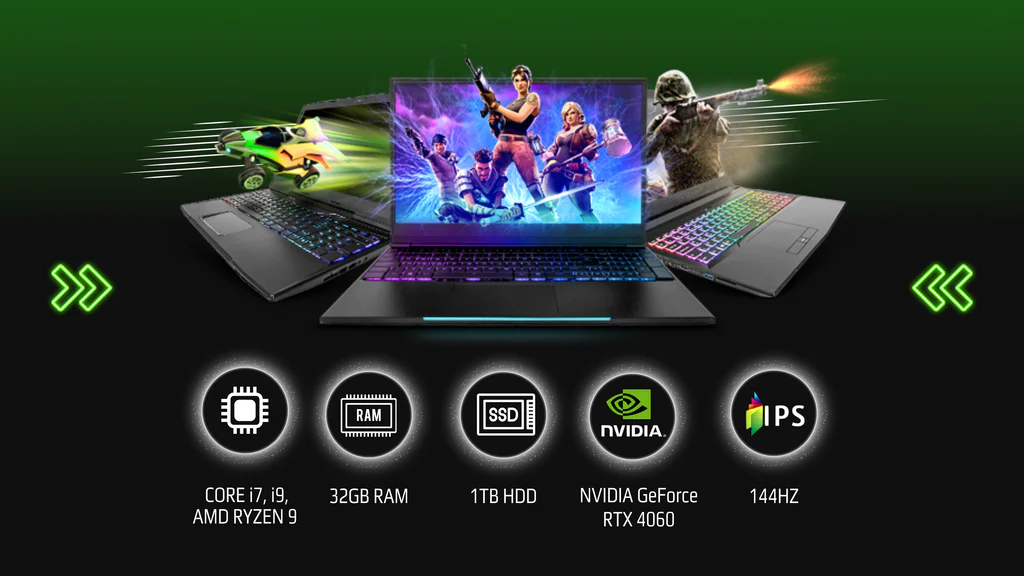
With 2025 upon us, RGB lighting has become an essential aspect of the gaming ecosystem. Not just a visual flair, RGB lighting can enhance immersion, convey system status, and sync with in-game events. This guide provides a comprehensive overview of RGB lighting setup within various gaming domains, covering everything from hardware to performance optimization and competitive gaming insights.
Table of Contents
-
Understanding RGB Lighting
- What is RGB Lighting?
- Types of RGB Lighting
- Synchronization Technologies
-
Gaming Hardware
- PCs
- Consoles
- Laptops
- Monitors
- Keyboards
- Mice
- Headsets
-
Gaming Technologies
- Ray Tracing
- DLSS
- VR and AR
- Cloud Gaming
-
Performance Optimization
- FPS Increases
- Overclocking
- Cooling Solutions
-
Game Streaming Platforms and Equipment
- Capture Cards
- Stream Decks
-
Esports and Competitive Gaming
- Importance of RGB in Esports
- Gaming Setups from Professionals
-
Budget vs. High-End Builds
- Components for Budget Builds
- Components for High-End Builds
- Case Studies
-
Tips for PC and Console Gaming Enthusiasts
- RGB Customization Tips
- Managing Cable Management
- Maintenance and Upkeep
-
Conclusion
1. Understanding RGB Lighting
What is RGB Lighting?
RGB (Red, Green, Blue) lighting allows users to create a virtually infinite range of colors by mixing these three primary colors. In gaming, this technology is used not just for aesthetics but also for functional purposes, such as indicating system health or enhancing immersion through synchronized lighting effects.
Types of RGB Lighting
- Addressable RGB (ARGB): Each LED can be controlled individually, allowing for complex lighting effects and animations.
- Standard RGB: LEDs are controlled in groups, which limits customization but simplifies syncing across devices.
- Static Lighting: A single color is displayed across the device.
- Dynamic Lighting: Patterns and colors change based on specific triggers, such as in-game actions or system performance.
Synchronization Technologies
Modern RGB lighting solutions often integrate with software platforms from hardware manufacturers. Common synchronization technologies include:
- Aura Sync (ASUS)
- RGB Fusion (Gigabyte)
- Mystic Light (MSI)
- Chroma (Razer)
These platforms allow users to synchronize lighting across multiple devices, creating cohesive and immersive visual experiences.
2. Gaming Hardware
PCs
RGB Components: In a gaming PC, RGB lighting can be integrated into motherboards, GPU coolers, RAM, and cases. Popular RGB-enabled components include:
- Motherboards: Look for models like the ASUS ROG Strix or MSI MPG series that support RGB sync.
- GPUs: Most modern graphics cards now come with RGB options, such as NVIDIA’s RTX series.
- Cooling Solutions: Liquid coolers with RGB lighting (like Corsair’s iCUE series) provide both aesthetics and functionality.
Step-by-Step Setup:
- Choose RGB-enabled components.
- Install motherboard software for RGB control.
- Sync all devices through the manufacturer’s software.
Example: A build with an ASUS ROG Strix Z590 motherboard, an NVIDIA RTX 3070, and RGB RAM can create a stunning visual experience while providing powerful gaming performance.
Consoles
While traditional consoles like the PS5 and Xbox Series X offer limited RGB customization, accessories like custom controllers and external lighting can enhance the experience.
Example: Third-party RGB controller shells or LED strips around the console can create a more dynamic gaming environment.
Laptops
RGB lighting in laptops tends to focus on keyboards and sometimes the chassis. Brands like Razer, ASUS, and Alienware offer customizable RGB keyboards that can sync with gameplay.
Step-by-Step Setup:
- Install the laptop’s RGB lighting software (e.g., Razer Synapse).
- Customize lighting schemes according to personal preference or game themes.
Monitors
Some gaming monitors come with RGB lighting on the back, which can enhance immersion through ambient lighting. Brands such as ASUS and Acer have options that allow users to sync the monitor lights with in-game actions.
3. Gaming Technologies
Ray Tracing
Ray tracing technology dramatically enhances the realism of lighting in games. RGB lighting can be used to visualize ray tracing effects, enhancing immersion. With ray tracing, dynamic lighting can correspond to in-game events, creating a more cohesive experience.
DLSS
NVIDIA’s Deep Learning Super Sampling technology allows for higher frame rates while maintaining graphics quality. Users can set RGB indicators to show system performance metrics, such as when DLSS is enabled.
VR and AR
Virtual and Augmented Reality setups can incorporate RGB lighting to create immersive environments. Lighting can adjust based on the content displayed, enhancing the overall experience.
Cloud Gaming
As cloud gaming becomes more prevalent, RGB lighting can serve as a status indicator for performance. For example, when latency increases, RGB lighting can change colors to alert the user.
4. Performance Optimization
FPS Increases
To maximize FPS, users can optimize RGB settings. Some RGB software allows users to create profiles that lower lighting intensity during competitive play to free up system resources.
Overclocking
Overclocking can be enhanced with RGB lighting that changes based on temperature. For instance, a cooler might glow green when at optimal temperatures and change to red when temperatures rise.
Step-by-Step Overclocking:
- Access BIOS and adjust CPU and GPU settings.
- Monitor temperatures and system stability using RGB feedback.
Cooling Solutions
RGB cooling solutions can help maintain optimal temperatures while providing aesthetic benefits. Consider liquid cooling systems that feature RGB fans, which visually indicate airflow and temperature.
5. Game Streaming Platforms and Equipment
Capture Cards
Capture cards like the Elgato Game Capture HD60 S+ allow users to stream game content with high-quality graphics. Choosing a capture card that supports RGB can enhance the visual appeal of the stream.
Example: Using RGB lights that sync with alerts or follower notifications can engage viewers more effectively.
Stream Decks
Devices like the Elgato Stream Deck can be used to control RGB lighting alongside streaming content, allowing for seamless transitions and effects during a live session.
6. Esports and Competitive Gaming
Importance of RGB in Esports
In the competitive gaming scene, RGB lighting is often used for branding and team identity. Teams invest in RGB setups to create a cohesive look that can be recognized both in-person and online.
Case Study: Team Liquid has utilized RGB lighting setups during tournaments to enhance their brand identity. This includes synchronized lighting in their gaming houses and during live-streamed events.
Gaming Setups from Professionals
Professional gamers often share their RGB setups via platforms like Twitch and YouTube. Observing their setups can provide insights into optimizing RGB lighting for competitive advantage.
7. Budget vs. High-End Builds
Components for Budget Builds
- Motherboard: MSI B450M Pro-VDH Max (RGB support available)
- GPU: GTX 1660 Super (many models come with RGB)
- Cooling: Deepcool Gammaxx 400 with RGB lighting
Example Budget Build:
- AMD Ryzen 5 3600
- 16GB DDR4 RAM with RGB
- Budget case with RGB fans
Components for High-End Builds
- Motherboard: ASUS ROG Crosshair VIII Hero
- GPU: NVIDIA RTX 4090
- Cooling: Corsair H150i Elite Capellix
Example High-End Build:
- Intel Core i9-12900K
- 32GB DDR5 RAM with customizable RGB
- Premium case with addressable RGB strips
Case Studies
Several case studies highlight successful RGB setups, such as those used in high-stakes tournaments. The analysis of these builds can provide valuable insights for aspiring gamers.
8. Tips for PC and Console Gaming Enthusiasts
RGB Customization Tips
- Experiment with different colors and effects to find what enhances your gaming experience.
- Use profiles to transition between casual and competitive settings.
Managing Cable Management
Proper cable management is crucial for a clean RGB setup. Consider using cable sleeves or clips to hide cables and maintain an organized look.
Maintenance and Upkeep
Regularly clean RGB components to prevent dust buildup, which can affect performance and aesthetics. Use compressed air to keep fans and lighting clean.
9. Conclusion
As gaming technology continues to evolve, so does the importance and functionality of RGB lighting. It enhances not only the aesthetic appeal of gaming setups but also improves performance and user experience. By following this guide, enthusiasts can create stunning, efficient gaming spaces that reflect their unique styles and optimize their gameplay.
This guide serves as a comprehensive roadmap for gamers looking to enhance their setups with RGB lighting in 2025. Whether you’re a casual gamer or a competitive esports athlete, understanding and utilizing RGB technology will undoubtedly enrich your gaming experience.