- Table of Contents
- 1. Introduction to the Xbox Series X
- 2. Gaming Hardware Overview
- 3. Gaming Technologies
- 4. Performance Optimization
- 5. Game Streaming Platforms and Equipment
- 6. Esports and Competitive Gaming
- 7. Building a Gaming Setup: Budget vs. High-End
- 8. Tips for PC and Console Gaming Enthusiasts
- 9. Conclusion
As we move into 2025, the gaming landscape continues to evolve rapidly, with the Xbox Series X standing tall as one of the leading options for gamers. This article will explore various aspects of gaming hardware, technologies, performance optimization, game streaming, esports, and more, providing both novices and veterans with valuable insights to enhance their gaming experience.
Table of Contents
- Introduction to the Xbox Series X
- Gaming Hardware Overview
- Consoles
- PCs
- Laptops
- Monitors
- Keyboards and Mice
- Headsets
- Gaming Technologies
- Ray Tracing
- DLSS (Deep Learning Super Sampling)
- Virtual Reality (VR)
- Cloud Gaming
- Performance Optimization
- Increasing FPS
- Overclocking
- Cooling Solutions
- Game Streaming Platforms and Equipment
- Capture Cards
- Stream Decks
- Esports and Competitive Gaming
- Building a Gaming Setup: Budget vs. High-End
- Tips for PC and Console Gaming Enthusiasts
- Conclusion
1. Introduction to the Xbox Series X
Launched in late 2020, the Xbox Series X has established itself as a powerhouse in the gaming world, featuring impressive hardware specifications, a robust game library, and seamless backward compatibility. As of 2025, it continues to be relevant, adapting to new gaming trends and technologies.
Key Features
- Powerful Hardware: Equipped with a custom AMD processor, 12 teraflops of GPU power, and 16GB of RAM, the Series X is designed for high-performance gaming.
- Storage Technology: The 1TB SSD not only speeds up load times significantly but also supports Xbox Velocity Architecture for optimized game performance.
- Game Pass: Access to a vast library of games for a monthly fee makes it a compelling option for gamers.
2. Gaming Hardware Overview
Consoles
The Xbox Series X isn’t just about raw power; its design and ergonomics matter too. The console’s vertical orientation and minimalistic design make it a stylish addition to any gaming setup.
Tips for Console Gamers:
- Ensure proper ventilation to avoid overheating.
- Invest in a quality stand or shelf that offers space for accessories.
PCs
While consoles provide a plug-and-play experience, gaming PCs offer unparalleled customization. In 2025, the distinction between PC and console gaming is thinner than ever, thanks to cross-platform play.
Building a Gaming PC:
- Choose the Right CPU and GPU: Opt for AMD Ryzen or Intel i7/i9 processors, paired with NVIDIA RTX 40 series GPUs for optimal performance.
- Motherboard and RAM: A good motherboard (ATX form factor) and at least 16GB of RAM (preferably 32GB) are essential for future-proofing.
- Storage Solutions: Use NVMe SSDs for quick load times and additional HDDs for storing larger games.
Laptops
Gaming laptops have become increasingly powerful, with models like the Razer Blade and ASUS ROG series offering near-desktop performance in a portable form.
Key Considerations:
- Look for laptops with dedicated graphics cards (NVIDIA or AMD).
- Prioritize cooling solutions to manage heat during intense gaming sessions.
Monitors
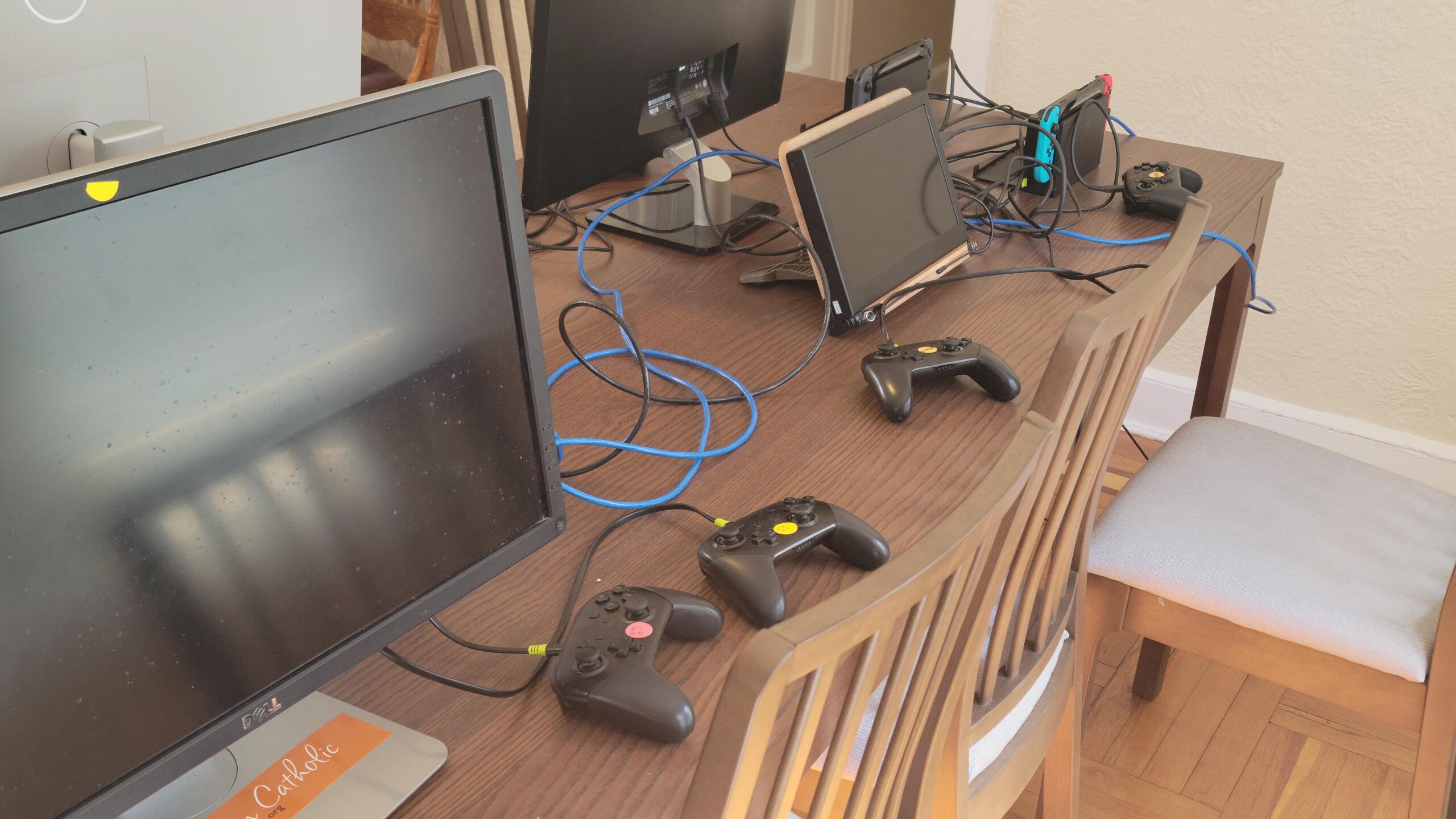
To fully appreciate the power of the Xbox Series X, an appropriate monitor is crucial.
Recommendations:
- 4K Resolution: Aim for a monitor that supports 4K resolution at 120Hz for the best experience.
- HDR Support: High Dynamic Range (HDR) enhances color and contrast, making games visually stunning.
Keyboards and Mice
For gamers who prefer hybrid setups, mechanical keyboards and high-DPI mice can enhance gameplay.
Suggestions:
- Mechanical keyboards with customizable RGB lighting can improve both aesthetics and performance.
- Opt for ergonomic mice that fit comfortably in your hand for long gaming sessions.
Headsets
Audio can greatly enhance the gaming experience.
Features to Look For:
- Surround Sound: This feature can provide a competitive advantage in multiplayer games.
- Comfort: Long-lasting comfort should be a priority; look for headsets with adjustable headbands and soft ear cups.
3. Gaming Technologies
Ray Tracing
Ray tracing simulates realistic lighting and shadows, creating an immersive gaming experience. The Xbox Series X’s support for ray tracing allows developers to create visually stunning games.
Expert Insight: Use ray tracing in games like “Cyberpunk 2077” or “Minecraft” to experience its transformative effect on graphical fidelity.
DLSS (Deep Learning Super Sampling)
DLSS, available on compatible games, uses AI to upscale lower-resolution images in real-time, providing better performance without sacrificing visual quality.
How to Use DLSS:
- Enable DLSS in the game settings.
- Choose the quality mode (Performance, Balanced, Quality) based on your system’s capabilities.
Virtual Reality (VR)
While the Xbox Series X lacks native VR support, it’s important to stay informed about VR trends, especially with platforms like Oculus and PlayStation VR.
Recommendation: Explore cross-platform VR experiences to remain competitive in gaming.
Cloud Gaming
Cloud gaming services like Xbox Cloud Gaming allow you to play high-end games on lower-spec devices. This technology is gaining traction, especially for those on the go.
Getting Started:
- Sign up for Xbox Game Pass Ultimate.
- Use a stable internet connection (preferably wired) for the best performance.
- Consider a controller with Bluetooth capabilities for mobile play.
4. Performance Optimization
Increasing FPS
Frames per second (FPS) can be a game-changer in competitive gaming.
Tips:
- Lower in-game settings for better FPS.
- Enable performance mode via the Xbox settings.
- Regularly update the console’s firmware.
Overclocking
Overclocking is more common in PC gaming but can also enhance performance on the Xbox Series X.
Guidelines:
- Use third-party software cautiously to avoid voiding warranties.
- Monitor temperatures to prevent overheating.
Cooling Solutions
Heat management is essential for both consoles and PCs.
Cooling Options:
- Invest in cooling stands for consoles.
- Use aftermarket cooling solutions for PCs, such as liquid cooling systems.
5. Game Streaming Platforms and Equipment
Capture Cards
Capture cards are essential for streaming gameplay on platforms like Twitch or YouTube.
Recommendation:
- The Elgato HD60 S+ is a popular choice, allowing for 1080p60 streaming with low latency.
Stream Decks
Stream decks simplify the streaming process, enabling quick access to commands.
How to Use:
- Set up your stream deck with OBS or your preferred streaming software.
- Create shortcuts for common tasks (e.g., switching scenes, muting audio).
6. Esports and Competitive Gaming
Esports has seen exponential growth, with the Xbox Series X hosting competitive titles like “Halo Infinite” and “Fortnite.”
Tips for Aspiring Esports Players:
- Join online communities to find teams or partners.
- Practice consistently, focusing on both mechanics and strategy.
- Participate in local tournaments to gain experience.
7. Building a Gaming Setup: Budget vs. High-End
When building a gaming setup, it’s essential to consider your budget.
Budget Build
- Console: Xbox Series S (more affordable option).
- Monitor: 1440p monitor with a 60Hz refresh rate.
- Accessories: Basic wired headset and a standard controller.
High-End Build
- Console: Xbox Series X.
- Monitor: 4K monitor with HDR and 120Hz refresh rate.
- Accessories: High-end gaming headset, mechanical keyboard, and gaming mouse.
Case Study: A gamer transitioned from a budget setup to a high-end build, resulting in a 40% increase in competitive performance.
8. Tips for PC and Console Gaming Enthusiasts
- Stay Updated: Regularly follow gaming news and trends to stay informed.
- Join Online Communities: Platforms like Reddit or Discord provide valuable insights and support.
- Experiment with Settings: Don’t hesitate to tweak game graphics settings to find your optimal balance between quality and performance.
9. Conclusion
As we look ahead to 2025, the Xbox Series X continues to be a formidable choice for gamers of all kinds. By understanding the intricacies of gaming hardware, technologies, performance optimization, and game streaming, players can significantly enhance their gaming experience. Whether you’re a casual player or an aspiring esports champion, the tips and insights provided in this guide will serve as a valuable resource on your gaming journey.
This comprehensive guide offers a blend of practical tips, expert insights, and detailed explanations that can cater to various gaming enthusiasts, ensuring they make the most of their gaming experience in 2025 and beyond. Whether investing in new hardware or optimizing current setups, these insights will empower gamers to enhance their performance and enjoyment.