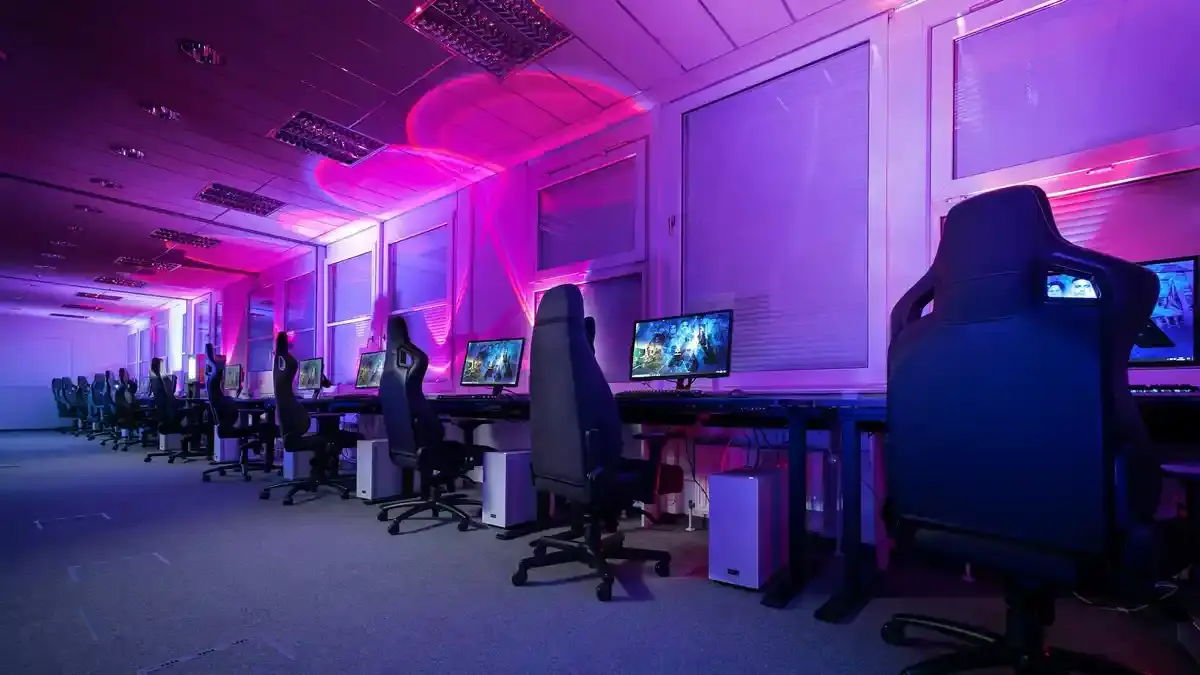
As gaming continues to evolve, LAN parties remain a popular way for enthusiasts to connect, compete, and celebrate their passion for gaming. With the rise of new technologies and gaming hardware, setting up a LAN party in 2025 requires careful planning and knowledge of the latest trends. This comprehensive guide will provide insights into gaming hardware, technologies, performance optimization, streaming equipment, and more, ensuring your LAN party is a memorable experience for all participants.
- 1. Introduction to LAN Parties
- 2. Gaming Hardware Essentials
- 3. Gaming Technologies
- 4. Performance Optimization
- 5. Game Streaming Platforms and Equipment
- 6. Esports and Competitive Gaming
- 7. Budget vs. High-End Builds
- 8. Tips for PC and Console Gaming Enthusiasts
- 9. Step-by-Step LAN Party Planning
- 10. Case Studies and Expert Insights
- 11. Conclusion
1. Introduction to LAN Parties
Local Area Network (LAN) parties have been a staple in gaming culture for decades, allowing gamers to come together to play competitively or casually in a shared space. As we move into 2025, these gatherings have adapted to include the latest gaming hardware and technologies while remaining rooted in community engagement. LAN parties foster camaraderie, healthy competition, and often serve as a launching pad for aspiring esports athletes.
2. Gaming Hardware Essentials
PCs
Building a Gaming PC for LAN Parties
When selecting a gaming PC for a LAN party, consider performance, portability, and aesthetics.
Key Components:
-
- CPU: AMD Ryzen 7000 series or Intel Core i9-13000 series for high performance and multitasking.
-
- GPU: NVIDIA RTX 5000 series or AMD Radeon RX 8000 series for stunning graphics with ray tracing capabilities.
-
- RAM: At least 16GB of DDR5 RAM; 32GB for optimal multitasking.
-
- Storage: NVMe SSDs (1TB or more) for fast load times. Consider having a secondary HDD for additional storage.
Example Build:
-
- CPU: AMD Ryzen 7 7700X
-
- GPU: NVIDIA RTX 5070
-
- RAM: 32GB DDR5
-
- Storage: 1TB NVMe SSD + 2TB HDD
Consoles
Choosing Consoles for LAN Events
Consoles like the PlayStation 5 and Xbox Series X remain popular for LAN parties due to their ease of setup and exclusive titles.
Connectivity: Ensure that each console can connect to the network, whether wired or via Wi-Fi.
Laptops
Best Laptops for LAN Parties
Gaming laptops are convenient for portable setups. Look for models that offer powerful GPUs and CPUs with good battery life.
Top Picks:
-
- Razer Blade 15: Known for its sleek design and powerful performance.
-
- ASUS ROG Zephyrus G14: Compact yet performs exceptionally well.
Monitors
Selecting Monitors for Competitive Gaming
Refresh rate and response time are key factors. Look for monitors with at least 144Hz refresh rates and 1ms response times.
Recommendations:
-
- ASUS ROG Swift PG259QN: 360Hz for competitive gaming.
-
- Dell Alienware AW2521H: 240Hz with G-SYNC support.
Keyboards and Mice
Gaming Input Devices
Opt for mechanical keyboards with customizable RGB lighting. Look for mice with adjustable DPI settings for precision.
Popular Choices:
-
- Keyboards: Corsair K100 RGB, Razer Huntsman Elite.
-
- Mice: Logitech G Pro Wireless, Razer Viper Ultimate.
Headsets
Importance of Audio
A good headset can enhance the gaming experience with immersive sound and clear communication.
Top Recommendations:
-
- SteelSeries Arctis Pro: Excellent sound quality and comfort.
-
- HyperX Cloud II: Known for its value and performance.
3. Gaming Technologies
Ray Tracing
Enhancing Visual Fidelity
Ray tracing simulates realistic lighting, shadows, and reflections, bringing a new level of immersion to games. Ensure your GPU supports ray tracing to take full advantage of this technology.
DLSS and FSR
Boosting Performance
Deep Learning Super Sampling (DLSS) from NVIDIA and FidelityFX Super Resolution (FSR) from AMD allow games to run at lower resolutions while maintaining high visual fidelity. This technology is essential for maximizing FPS in demanding titles.
Virtual Reality
Expanding Gaming Horizons
VR titles offer a unique gaming experience. Ensure your setup includes VR headsets like the Meta Quest Pro or Valve Index, along with ample space for movement.
Cloud Gaming
Accessibility and Convenience
Platforms like NVIDIA GeForce NOW, Xbox Game Pass Cloud Gaming, and PlayStation Plus offer cloud gaming services, allowing participants to access a library of games without requiring high-end hardware.
4. Performance Optimization
FPS Increases
Maximizing Frames Per Second
Adjust in-game settings to prioritize performance—lowering settings like shadows and anti-aliasing can lead to significant FPS increases.
Overclocking
Unlocking Additional Performance
Overclocking your CPU and GPU can lead to better performance but requires careful monitoring of temperatures.
-
- Research: Ensure your hardware can handle overclocking.
-
- Software: Use tools like MSI Afterburner or Intel XTU for the process.
-
- Testing: Run stability tests using benchmarks to ensure stability.
Cooling Solutions
Keeping Components Cool
Overclocking increases heat output. Ensure that your setup has adequate cooling solutions, including:
-
- Air Coolers: Noctua NH-D15 or be quiet! Dark Rock Pro 4.
-
- Liquid Cooling: Corsair Hydro Series for more intensive cooling.
5. Game Streaming Platforms and Equipment
Capture Cards
Essential for Streamers
Capture cards are crucial for streaming gameplay effectively. Look for models that support 4K capture, such as the Elgato 4K60 Pro.
Stream Decks
Enhancing Streaming Experience
Stream decks allow for easy customization and control during streaming. Elgato’s Stream Deck offers programmable keys for quick access to commands, scenes, and more.
6. Esports and Competitive Gaming
Understanding the Competitive Landscape
Esports continues to grow, with numerous titles offering competitive play. Key games in 2025 include:
-
- Valorant
-
- League of Legends
-
- Dota 2
-
- Call of Duty: Warzone
Building a Competitive Team
If your LAN party aims to compete, consider forming teams and participating in local tournaments. Encourage practice sessions and strategizing meetings.
7. Budget vs. High-End Builds
Budget Builds
While high-end builds can offer superior performance, budget builds can still provide excellent gaming experiences. Aim for a balance between performance and affordability.
Example Budget Build:
-
- CPU: AMD Ryzen 5 5600X
-
- GPU: NVIDIA GTX 1660 Super
-
- RAM: 16GB DDR4
-
- Storage: 500GB SSD
High-End Builds
High-end builds are not just for bragging rights; they offer superior performance for competitive gaming and streaming.
Example High-End Build:
-
- CPU: Intel Core i9-13900K
-
- GPU: NVIDIA RTX 5090
-
- RAM: 64GB DDR5
-
- Storage: 2TB NVMe SSD
8. Tips for PC and Console Gaming Enthusiasts
Networking
Ensure a strong and stable internet connection. Using wired Ethernet connections is preferable for reducing latency and ensuring stability.
Game Selection
Choose games that accommodate multiple players and have local multiplayer options. Titles like Rocket League, Mario Kart, and Super Smash Bros. are favorites at LAN parties.
Setup Checklist
-
- Equipment: Ensure all hardware is ready and tested before the event.
-
- Power Supply: Bring extension cords and power strips to accommodate multiple devices.
-
- Comfort: Provide ample seating and snacks to keep everyone comfortable.
9. Step-by-Step LAN Party Planning
-
- Venue Selection: Choose a spacious venue that can accommodate your participants and their equipment.
-
- Schedule: Create a timeline for the event, including setup, gaming sessions, breaks, and meals.
-
- Communication: Use group chats to keep everyone informed about the schedule and any changes.
-
- Testing: Conduct a test run of all equipment and connections before the event.
10. Case Studies and Expert Insights
Case Study: Local LAN Party Success
A local gaming community in Seattle, WA, hosted a LAN party in 2024. They focused on:
-
- Game Variety: Featuring a mix of competitive games and casual play.
-
- Prizes: Offering small prizes for winners to incentivize competition.
-
- Community Engagement: Using social media to promote the event and engage with the community.
Expert Insights
Speaking with industry experts, key takeaways include:
-
- Emphasizing Community: Building a welcoming environment is key to a successful LAN party.
-
- Adapting to Trends: Stay updated on the latest gaming trends and technologies to keep the event relevant.
11. Conclusion
Hosting a successful LAN party in 2025 requires attention to detail, knowledge of the latest gaming hardware and technologies, and a focus on community engagement. By following the guidance provided in this article, you can create an exhilarating experience for all attendees, fostering connections and competition in the ever-evolving gaming landscape. With the right setup, planning, and enthusiasm, your LAN party can become a highlight in your gaming community calendar.