As we step into 2025, the landscape of gaming continues to evolve at an unprecedented pace. From advancements in hardware to cutting-edge technologies, gamers are presented with an array of options to enhance their gaming experience. This detailed article explores gaming network optimization, focusing on various elements such as hardware, performance optimization, gaming technologies, and the burgeoning esports scene.
- 1. Gaming Hardware
- 2. Gaming Technologies
- 3. Performance Optimization
- 4. Game Streaming Platforms and Equipment
- 5. Esports and Competitive Gaming
- 6. Budget vs. High-End Builds
- 7. Tips for PC and Console Gaming Enthusiasts
- 8. Conclusion
1. Gaming Hardware
PCs
Building a gaming PC is a rite of passage for many enthusiasts, and 2025 brings powerful components that cater to both budget-conscious and high-end gamers.
Recommended Build Examples
-
- Entry-Level Build
-
- CPU: AMD Ryzen 5 5600G
-
- GPU: NVIDIA GTX 1660 Super
-
- RAM: 16GB DDR4
-
- Storage: 500GB SSD
-
- Motherboard: B550 chipset
This setup can handle most modern games at 1080p with decent frame rates.
-
- Entry-Level Build
-
- High-End Build
-
- CPU: Intel Core i9-13900K
-
- GPU: NVIDIA RTX 4090
-
- RAM: 32GB DDR5
-
- Storage: 2TB NVMe SSD
-
- Motherboard: Z790 chipset
Perfect for 4K gaming and demanding applications.
-
- High-End Build
Consoles
Consoles continue to be a popular choice for gamers due to their ease of use. The latest generation, including the PlayStation 5 and Xbox Series X, offers robust performance.
Key Features:
-
- PlayStation 5: 4K gaming support, ray tracing, and ultra-fast SSD for minimal load times.
-
- Xbox Series X: Backward compatibility and Game Pass subscription service, providing access to a vast library of games.
Laptops
Gaming laptops have become increasingly powerful, merging portability with performance. Look for models that offer the latest GPUs and high-refresh-rate displays.
Recommended Models:
-
- Razer Blade 15: Known for its sleek design and high-performance specs.
-
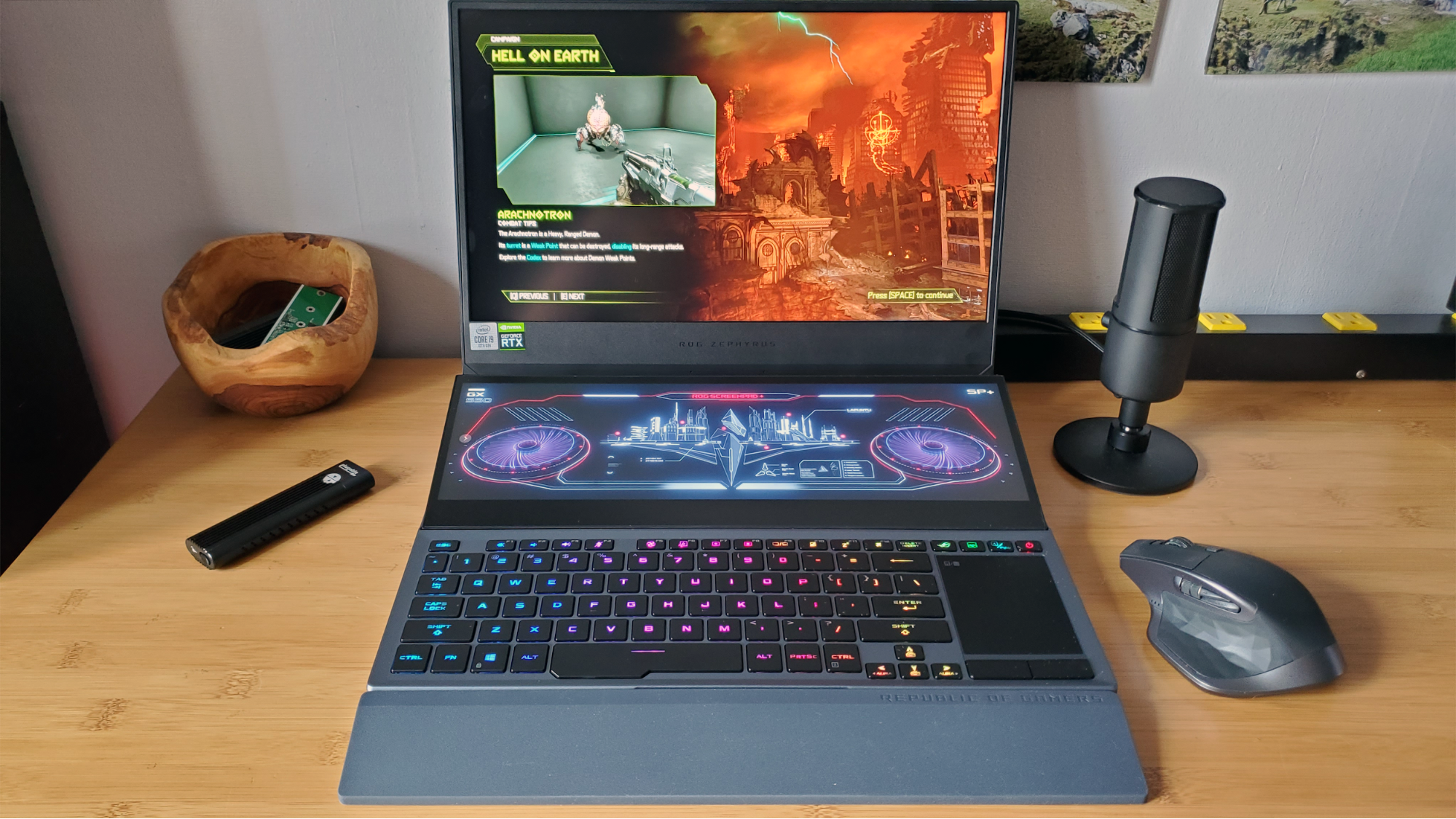
- Asus ROG Zephyrus: Offers an excellent balance between gaming performance and portability.
Monitors
A gaming monitor can significantly enhance your experience. Key specifications to consider include refresh rate, response time, and resolution.
Recommendations:
-
- High Refresh Rate Monitors: For fast-paced games, opt for 240Hz monitors.
-
- Ultrawide Monitors: Provide an immersive experience, especially in simulation games.
Input Devices
Keyboards and Mice
-
- Mechanical Keyboards: Offer a tactile response and customizable RGB lighting.
-
- Gaming Mice: High DPI sensors and programmable buttons can give you a competitive edge.
Headsets
Good audio is crucial for immersive gaming. Look for headsets that provide virtual surround sound and comfort for long sessions.
2. Gaming Technologies
Ray Tracing
Ray tracing simulates realistic lighting effects, enhancing the visual quality of games. In 2025, many games are optimized for ray tracing, allowing players to experience lifelike graphics.
Case Study: “Cyberpunk 2077”
The implementation of ray tracing in “Cyberpunk 2077” showcases the technology’s potential, enhancing reflections and shadows significantly.
DLSS (Deep Learning Super Sampling)
NVIDIA’s DLSS uses AI to upscale lower-resolution images to higher resolutions without sacrificing quality, significantly improving performance.
Example: “Battlefield 2042”
DLSS has enabled smoother gameplay and higher frame rates even on mid-range hardware.
Virtual Reality (VR)
VR gaming has grown substantially with advancements in hardware like the Oculus Quest 3 and Valve Index. With better graphics and reduced latency, VR experiences are now more immersive.
Popular VR Titles
-
- Half-Life: Alyx
-
- Beat Saber
Cloud Gaming
Cloud gaming services like NVIDIA GeForce NOW and Xbox Cloud Gaming enable gamers to play high-end games on low-spec devices by streaming directly from powerful servers.
Benefits:
-
- Accessibility: No need for expensive hardware.
-
- Flexibility: Play anywhere on compatible devices.
3. Performance Optimization
Increasing FPS
To enhance frame rates, consider the following:
-
- Adjust Game Settings: Lower settings like shadows and textures.
-
- Update Drivers: Keep your GPU drivers up-to-date for optimal performance.
-
- Optimize Windows Settings: Disable background applications and services.
Overclocking Techniques
Overclocking can provide a performance boost but requires careful handling to avoid overheating.
Step-by-Step Guide:
-
- Download Overclocking Software: MSI Afterburner or ASUS GPU Tweak.
-
- Gradually Increase Clock Speeds: Test stability after each increment.
-
- Monitor Temperatures: Ensure your cooling system can handle the increased performance.
Cooling Solutions
Efficient cooling is vital for maintaining performance and longevity.
-
- Air Cooling: High-quality air coolers can sufficiently cool CPUs.
-
- Liquid Cooling: Offers superior cooling capabilities, especially for overclocked systems.
4. Game Streaming Platforms and Equipment
Capture Cards
For streamers, capture cards are essential to capture gameplay. Look for options that support 4K resolution at 60 FPS.
Recommended Models:
-
- Elgato HD60 S+: Great for 1080p streaming with low latency.
-
- AverMedia Live Gamer 4K: Perfect for high-end setups.
Stream Decks
Stream decks allow for seamless control over streaming software and settings.
Example: Elgato Stream Deck
This device enables customizable buttons for launching applications, switching scenes, and controlling audio.
Streaming Software
Popular software options include OBS Studio and Streamlabs OBS, providing user-friendly interfaces and extensive customization options.
5. Esports and Competitive Gaming
The Rise of Esports
Esports has become a multi-billion-dollar industry, with games like “League of Legends,” “Dota 2,” and “Valorant” leading the charge.
Insights from Experts:
-
- Team Stats: Top teams like Team Liquid and Cloud9 invest heavily in training and analytics.
-
- Viewership: Major tournaments attract millions of viewers, rivaling traditional sports.
Popular Games and Competitions
Key tournaments such as The International (Dota 2) and League of Legends World Championship draw massive audiences and sponsorships.
Future Trends
-
- Increased Sponsorship: Major corporations are investing in esports teams and events.
-
- Diversity in Games: New genres like battle royale and tactical shooters continue to emerge.
6. Budget vs. High-End Builds
Entry-Level Gaming PCs
Budget systems can provide good performance without breaking the bank.
Example Components:
-
- CPU: AMD Ryzen 5 5600
-
- GPU: AMD Radeon RX 6500 XT
-
- RAM: 8GB DDR4
High-End Gaming Setups
For serious gamers, investing in high-performance components is worthwhile.
Suggested Components:
-
- CPUs: AMD Ryzen 9 or Intel i9 series
-
- GPUs: NVIDIA RTX 4080 or 4090
-
- RAM: 32GB DDR5 for optimal multitasking.
7. Tips for PC and Console Gaming Enthusiasts
-
- Stay Informed: Follow gaming news outlets and communities for updates on hardware releases and game optimizations.
-
- Customize Settings: Tailor your game settings to balance performance and visuals based on your hardware capabilities.
-
- Engage with Communities: Join online forums and social media groups to share experiences and tips.
-
- Regular Maintenance: Keep your hardware clean and updated to ensure longevity and performance.
8. Conclusion
As gaming continues to evolve, optimizing your network and setup is crucial for an enhanced experience. By investing in the right hardware, leveraging advanced technologies, and staying informed about trends, both casual and competitive gamers can enjoy an immersive gaming environment well into 2025 and beyond.
With hardware and technologies rapidly changing, it’s essential to keep learning and adapting. Whether you’re an aspiring esports professional or a casual gamer, the world of gaming offers endless possibilities for optimization and enjoyment.