


As we progress deeper into the 2020s, the landscape of work is continually evolving. The rise of remote work, the integration of artificial intelligence, and ever-increasing demands for efficiency have made productivity tools more essential than ever. In 2025, staying productive amidst these changes requires not just the right software but also effective time management techniques, modern productivity methodologies, and a conducive workspace setup. In this article, we will delve into various aspects of productivity, offering step-by-step guidance, examples, and insights from experts.
I. Understanding Productivity Tools
A. Definition and Importance
Productivity tools are applications or platforms designed to streamline tasks, manage time effectively, and enhance collaboration among team members. These tools can range from basic task lists to comprehensive project management software. As remote work becomes more prevalent, these tools are vital for maintaining productivity and communication.
B. Key Categories of Productivity Tools
- Task Management Apps: These applications help manage individual and team tasks. Examples include Todoist, Microsoft To Do, and Asana.
- Project Management Software: These platforms assist teams in planning, executing, and closing projects. Trello, Monday.com, and Jira are popular choices.
- Communication Tools: Tools like Slack, Microsoft Teams, and Zoom facilitate real-time communication and collaboration.
- Time Management Tools: Applications such as RescueTime and Clockify help individuals track their time and manage their schedules.
- Note-Taking Apps: Notion, Evernote, and Bear are useful for organizing thoughts, ideas, and meeting notes.
C. Choosing the Right Tools
When selecting productivity tools, consider the following:
- Functionality: Does the tool meet your specific needs?
- Ease of Use: Is it user-friendly for your team?
- Integration: Does it integrate well with other tools you already use?
- Cost: Is the pricing model sustainable for your budget?
Example: A marketing team might find that Asana integrates seamlessly with their existing Google Calendar and email tools, which helps in task management and scheduling.
II. Time Management Techniques
Effective time management is crucial for maximizing productivity. Here are some techniques to consider:
A. Pomodoro Technique
The Pomodoro Technique involves working in focused intervals, typically 25 minutes, followed by a 5-minute break. After four intervals, take a longer break (15-30 minutes).
Step-by-Step Guide:
- Choose a task.
- Set a timer for 25 minutes.
- Work on the task until the timer rings.
- Take a 5-minute break.
- Repeat the cycle.
Expert Insight: Francesco Cirillo, the creator of the Pomodoro Technique, emphasizes that short bursts of focused work can boost creativity and concentration.
B. Getting Things Done (GTD)
GTD, developed by David Allen, is a time management method that helps individuals organize tasks and projects systematically.
Step-by-Step Guide:
- Capture: Write down everything you need to do.
- Clarify: Determine the next actionable steps for each task.
- Organize: Sort tasks by categories and prioritize them.
- Reflect: Regularly review your tasks and projects.
- Engage: Focus on completing the next task.
Example: An individual might use a digital note-taking app like Notion to capture tasks and then organize them into weekly sprints.
C. Time Blocking
Time blocking involves scheduling specific blocks of time for different tasks throughout your day.
Step-by-Step Guide:
- Review your tasks for the day.
- Assign specific time slots for each task.
- Stick to the schedule as closely as possible.
Expert Insight: Cal Newport, author of “Deep Work,” advocates for time blocking as a way to create focused work periods that minimize distractions.
III. Productivity Apps
In 2025, a plethora of productivity apps are available, each catering to different needs. Here are some top contenders:
A. Notion
Notion combines note-taking, task management, and database features into one platform. Users can create customized workflows and collaborate in real time.
Use Case: A software development team can use Notion to document code, manage tasks, and track project timelines.
B. Trello
Trello uses boards and cards to help teams visualize their projects. It’s particularly useful for teams employing the Kanban method.
Step-by-Step Guide:
- Create a board for your project.
- Add lists to represent different stages of the project (e.g., To Do, In Progress, Done).
- Create cards for individual tasks and assign them to team members.
C. Clockify
Clockify is a time tracking tool that allows users to monitor the time spent on tasks and projects. It’s beneficial for freelancers and teams looking to analyze their productivity.
Example: A consulting firm can use Clockify to bill clients accurately based on tracked hours.
IV. Project Management Software
As projects become increasingly complex, effective project management software is vital. Here’s a look at some leading options in 2025:
A. Monday.com
Monday.com is a versatile project management tool that offers customizable workflows, making it suitable for various industries.
Step-by-Step Guide:
- Create a new board for your project.
- Define the project phases and add columns for status, priority, and deadlines.
- Invite team members and assign tasks accordingly.
B. Jira
Jira is specifically designed for software development teams using Agile methodologies. It allows for backlog management, sprint planning, and issue tracking.
Expert Insight: Atlassian, the company behind Jira, emphasizes that Agile tools like Jira help teams adapt to changing requirements and maintain productivity.
C. ClickUp
ClickUp combines project management and productivity features into one platform, allowing users to manage tasks, goals, and documents seamlessly.
Example: A marketing team can use ClickUp to track campaigns, manage deadlines, and collaborate on content creation.
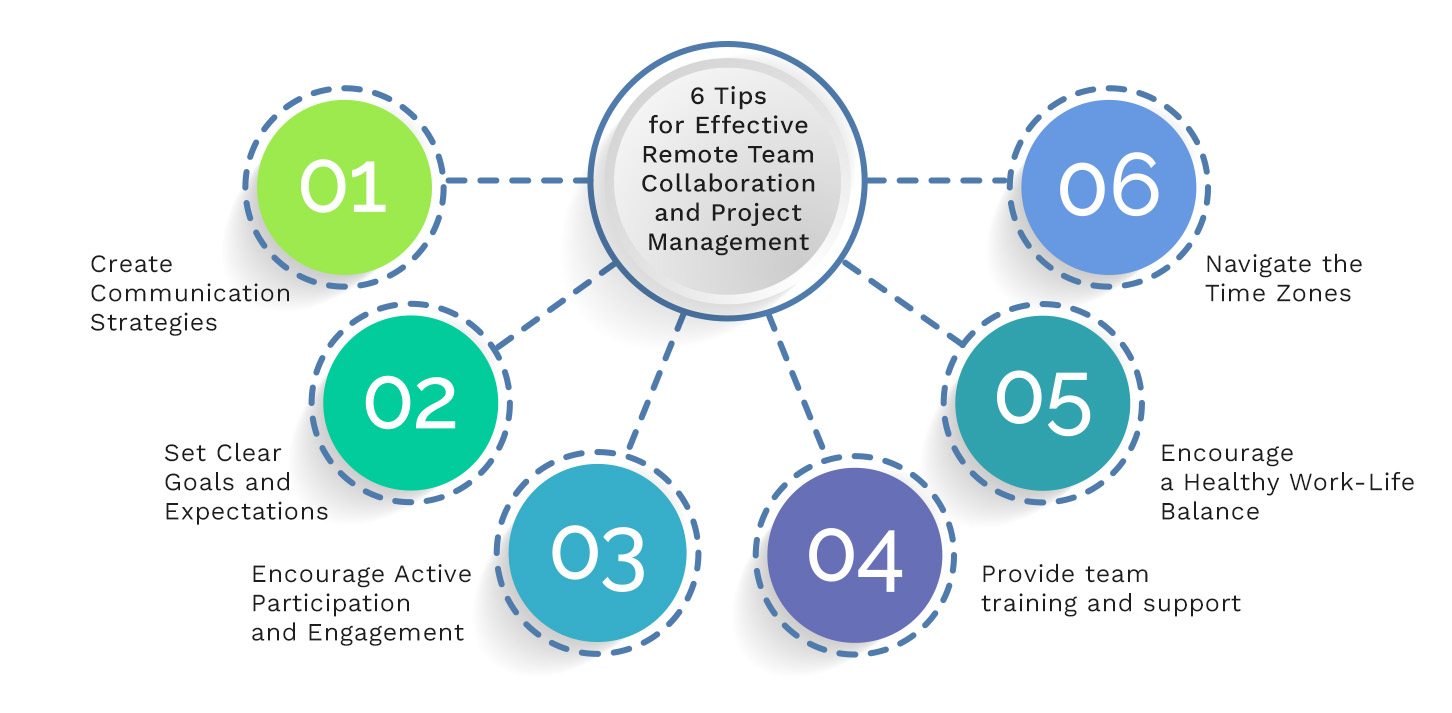
V. Remote Work Best Practices
As remote work becomes the norm, establishing best practices is essential for maintaining productivity.
A. Communication
- Use Video Calls: Tools like Zoom and Microsoft Teams facilitate face-to-face communication, which can enhance collaboration.
- Set Clear Expectations: Define communication protocols, including response times and preferred channels.
B. Establish a Routine
Encourage team members to create a consistent work schedule to foster productivity and work-life balance.
C. Use Collaborative Tools
Invest in platforms that enable real-time collaboration, such as Google Workspace or Notion.
VI. Collaboration Tools
Effective collaboration is at the heart of productivity. Here are some tools to enhance teamwork in 2025:
A. Slack
Slack is a messaging platform that allows teams to communicate in channels based on projects or topics. It supports integrations with various productivity tools.
Example: A customer support team can create a channel dedicated to urgent queries, ensuring prompt responses.
B. Microsoft Teams
Microsoft Teams integrates with the Microsoft 365 suite, providing chat, video conferencing, and collaborative document editing.
Step-by-Step Guide:
- Create a team within Microsoft Teams.
- Set up channels for different projects or subjects.
- Schedule regular video calls to discuss progress.
C. Miro
Miro is an online collaborative whiteboard platform that facilitates brainstorming sessions and visual project planning.
Use Case: Design teams can use Miro to create mood boards and collect feedback in real time.
VII. Workspace Setup
Creating an effective workspace is crucial for productivity, especially in a remote work environment.
A. Ergonomic Furniture
Invest in ergonomic chairs and desks to promote comfort and reduce physical strain.
B. Declutter
Keep your workspace organized and free from distractions. Use storage solutions to minimize clutter.
C. Personalization
Encourage team members to personalize their workspaces to reflect their styles, which can enhance motivation.
VIII. Modern Productivity Methodologies
Understanding and applying modern productivity methodologies can significantly enhance efficiency. Here’s an overview:
A. Kanban
Kanban is a visual project management methodology that emphasizes continuous delivery and efficiency.
Step-by-Step Guide:
- Create a Kanban board with columns for different stages (e.g., To Do, In Progress, Done).
- Add tasks as cards and move them through the columns as they progress.
B. Objectives and Key Results (OKR)
OKRs help teams set and achieve measurable goals.
Step-by-Step Guide:
- Define clear objectives that are ambitious yet attainable.
- Establish key results to measure progress toward those objectives.
- Regularly review and adjust OKRs as necessary.
Expert Insight: John Doerr, a venture capitalist who popularized OKRs, emphasizes the importance of aligning team objectives with organizational goals.
IX. Conclusion
In the fast-paced work environment of 2025, leveraging productivity tools, effective time management techniques, and modern methodologies is essential for staying ahead. By implementing the strategies outlined in this article, teams and individuals can enhance collaboration, streamline workflows, and ultimately boost productivity.
- Select the Right Tools: Evaluate your needs and choose tools that fit seamlessly into your workflow.
- Incorporate Time Management Techniques: Experiment with methods like the Pomodoro Technique and GTD to find what works best for you.
- Foster Collaboration: Use communication and collaborative tools to maintain team cohesion, even in remote settings.
- Create an Inspiring Workspace: Design your workspace to promote focus and comfort.
- Stay Adaptable: As new tools and methodologies emerge, be open to adjusting your approach for continuous improvement.
By adopting these practices, you can position yourself and your team for success in 2025 and beyond.
